


SBI Debit Cards - Apply Online
State Bank of India (SBI) is a leading multinational public sector bank in India. With a quarter of the market, it is among the most reputable banks in the country.
Types of SBI Debit Cards
The following are the different types of SBI debit card:
SBI Global International Debit Card
Benefits of SBI Global International Debit Card are:
- Enjoy cashless shopping worldwide.
- Earn 200 bonus points on making first three transactions through your debit card.
- Cardholders can double their reward points on their birthday month.
- Daily Withdrawal Limit: Rs.40,000
SBI Gold International Debit Card
Benefits of SBI Gold International Debit Card are as follows:
- On first three transactions using this card, you earn 2000 bonus points.
- This card can be used for doing international transactions.
- Reward points that are earned in your birthday month are doubled.
- This card can also be used for doing international transactions.
- Domestic Withdrawal Limit : Rs.50,000
- International Withdrawal Limit : Rs.50,000
SBI Platinum International Debit Card
Benefits of SBI Platinum International Debit Card are as follows:
- It provides free life insurance coverage up to Rs 5 lakhs.
- This card can be used across the world.
- Earn 200 bonus points on making first three transactions through your debit card.
- Reward points that are earned in your birthday month are doubled.
- Get complimentary airport lounge access.
- Domestic Withdrawal Limit: Rs.1,00,000
- International Withdrawal Limit: No limit as such
SBI Mumbai Metro Combo Card
Benefits of SBI Mumbai Metro Combo Card are as follows:
- Can be used as an access card for travelling in Mumbai metro
- Get frequent offers from Mumbai metro on this card
- Earn 2,000 bonus points on doing first three transactions
- Reward points can be doubled on the birthday points
- Domestic Withdrawal Limit: Rs. 40,000
SBI My Card International Debit Card
Benefits of SBI My Card International debit card are as follows:
- It comes with an EMV chip and
- Allows you to enjoy the comfort of cashless shopping.
- Images of card can be customized according to the choice of the customer.
- It can be at six lakhs merchant outlets across India and more than 30 million across the world.
- Domestic Withdrawal Limit: Rs.40,000
- International Withdrawal Limit: Rs.75,000
SBI IOCL Co-branded Contactless Debit Card
Benefits of SBI IOCL Co-branded Contactless Debit Card are as follows:
- It has an EMV chip for enhanced security.
- It allows customers to earn additional reward points at all IOCL retail outlets.
- Earn six reward points on every Rs.200 spent on fueL at IOCL petrol pumps.
- Earn two reward points on every Rs.200 spent at E-Com or POS terminal apart from IOCL.
- Daily Withdrawal Limit: Rs.50,000 (International )and Rs.40,000 (Domestic)
State Bank of India Virtual Card
- Daily Cash Limit at ATMs : Nil
- Daily Purchase Limit e-Com: Rs. 50,000
- Issuance Fee: Nil
- Annual Maintenance: Nil
- State Bank of India Virtual Card Offers two reward points for every Rs. 200 spent on Point of Sale/e-Commerce.
How to Apply for an SBI Debit Card?
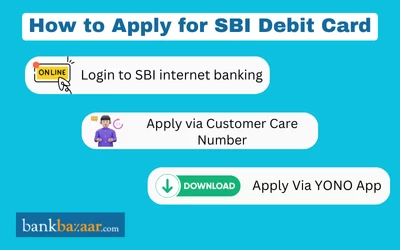
To apply for an SBI debit/ATM card, you must follow the steps given below:
Online Process
- Enter your login, password, and captcha code to access the SBI Net Banking portal
- From the main menu, select the e-Services tab
- Click Request ATM/Debit Card after selecting ATM Card Services
- Decide whether to use your profile password or a One-Time Password (OTP) for verification
- Click Submit after entering the OTP that was sent to your registered mobile number if you choose OTP
- Your bank accounts will be listed. Choose the account you wish to apply for a card
- Choose the card type and enter the necessary information, such as the name to be printed on the card
- Click Submit to finish the request after carefully reviewing all the information and accepting the terms and conditions
- You will be informed of the time frame for receiving your card once the request has been approved.
Offline Process
- Go to the SBI bank branch that is nearest to you
- Request an application from any bank employee to obtain an ATM card
- Complete the form and send it in with the necessary documents, such as a PAN card and proof of address
- Your ATM/debit card will then be delivered to your address in a few days.
How to Apply for SBI Debit Card via Customer Care
Customers can either directly visit to the nearest SBI branch and submit the debit card Application or contact to customer care to apply for an SBI Debit Card offline.
- Request a new debit card by Calling to the SBI Customer Care Numbers at 1800 1234 (toll-free), 1800 11 2211 (toll-free), 1800 425 3800 (toll-free),1800 2100(toll-free) or 080-26599990
- The customer can file a written request for a new debit card and email it to the SBI customer care email ID at customercare@sbi.co.in
How to Apply for SBI Debit Card through YONO App?
SBI provides another hassle-free method to apply for an SBI debit card online. For this, you need to install the YONO app on your smartphone. The steps to apply for an SBI debit card via the YONO app are as follows:
Step 1: Install the YONO app on your smartphone.
Step 2: Tap the ‘Service Request’ option.
Step 3: Choose the ‘ATM/Debit Card’ option and enter your profile password.
Step 5: Tap the ‘Submit’ option.
Step 6: Tap the 'Request New/Replacement' option.
Step 7: Choose the SBI account for which you wish to obtain a debit card.
Step 8: Enter all the requested information including your name, card type, and address.
Step 9: Check the box pertaining to terms and conditions and tap the ‘Next’ option.
Step 10: An OTP will be sent to the registered mobile number you provided.
Step 11: Tap on ‘Submit’ after entering the OTP.
A reference number will be sent to you within some days. This reference number can be used to track your debit card.

SBI Debit Card Fees and Charges
The fee and charges that are levied for different debit cards are mentioned in the table below:
Particulars | Charges |
Issuance of Debit Card | Gold Debit Card: Rs. 100 + GSTClassic, Silver, Global, or Contactless Debit Card: NILPlatinum Debit Card: Rs. 300 + GST |
Annual Maintenance Charges of Debit Card | Rs. 200 + GST for a Classic, Silver, Global, or Contactless debit cardRs. 250 + GST for a Yuva, Gold, Combo, or My Card debit cardPlatinum Debit Card: Rs.325 + GSTRuPayCard for Platinum Business: Rs. 350 + GSTPride or Premium Business Debit Card: Rs.425 + GST |
Charges for International Transaction | ATM balance inquiries cost Rs. 25 + GST.ATM cash withdrawals cost Rs. 100 plus GST and 3.5% of the transaction value.3% of the transaction amount plus GST applies to POS or e-commerce transactions. |
Charges for Replacement of Debit Card | Rs.300+GST |
Eligibility Criteria to Apply for SBI Debit Card
Customers of SBI can choose from a variety of debit/ATM cards. The following are the standard requirements that you must meet to be eligible for an SBI debit card:
✔️You should have a savings or a current account with SBI.
✔️You must be between the ages of 21 and 60 years.
✔️Note that the type of debit card which is issued by the bank may vary based on various factors such as account type and minimum balance and the customer’s relationship with the bank.
How to Track SBI Debit Card Delivery Status Online
The following are the steps to track SBI Debit card delivery status online:
- Find the consignment tracking page online by visiting-www.indiapost.gov.in
- Enter the speed post consignment number
- Enter the verification code
- Click on the tab, ‘Track now’
The dispatch details and delivery status of the SBI ATM card will be displayed on the new page.
Note: Customer can also visit official site to check your application status at https://www.sbicard.com/en/corporate/track.page
How to Increase or Change SBI Debit Card Withdrawal Limit
SBI has made a number of updates to the services that customers can avail through the bank’s internet banking facilities. One of these services is changing the limits on his/her debit card. The following are the steps on how to change sbi transaction limits:
Step 1: Login to SBI’s internet banking website.
Step 2: Click on the ‘e-Services’ tab.
Step 3: Select the ‘ATM Card Services’ option from the list of services.
Step 4: Click on the option titled ‘ATM Card Limit/Channel/Usage Change’.
Step 5: Choose the card number and select ‘Change Daily Limit’ from the drop-down menu.
Step 6: The limit can be set for either ATM withdrawal or point of sale purchases.
Step 7: Click on the ‘Submit’ button.
Step 8: The change is made instantly once the details are submitted.
Also, know how to change SBI ATM PIN Online through SMS, Customer Care, & ATM.
Benefits of Holding a State Bank of India Debit Card
- Customers of State Bank can simply access their banking accounts and conduct free transactions.
- Customers can use their SBI debit cards at any SBI ATM to open term deposits, make payments, request credit instruments like credit cards.
- Debit cards from State Bank of India offer higher levels of security for online transactions.
- Shop at over 5 lakh merchant outlets in India with your SBI debit card.
- Assured rewards from State Bank of India’s Debit Card Loyalty Program.
- Use your SBI debit cards to book movie tickets and pay utility bills on a completely secure platform.
- Complimentary insurance coverage for the debit card holder.
- It offers complimentary airport lounge access on sbi international debit cards.
SBI Debit Card Customer Support: Toll-Free Numbers & Assistance
To lodge a complaint or solve any query regarding your SBI debit cards, you can contact the SBI customer care number mentioned below -
Sno | Toll Free Numbers |
SBI Mobile Banking | |
To Block Unauthorised Electronic transactions | 1800 11 1109 (Toll Free) 94491 12211 (Mobile number, Toll Free) |
SBI Alternate Mobile Banking | |
SBI Customer Support (24/7) | |
SBI Helpline Number |
FAQs on SBI Debit Cards
1.How do I apply for an SBI debit card?
You can apply for an SBI debit card at any SBI branch or online through the SBI website if you have a savings or current account.
2.Can I apply for an SBI debit card for free?
Yes, SBI Global Debit Cards can be obtained for free, as there are no issuance charges. However, other debit cards may have associated fees depending on the type of card.
3.How long does it take to receive an SBI debit card after applying?
Generally, it takes up to 7 working days to receive your card.
4.What is the daily withdrawal limit for SBI debit cards?
The daily withdrawal limit varies by card type. For Classic Debit Cards, the limit is Rs.40,000, while for other SBI debit cards, it can go up to Rs.1 lakh per day.
5.How can I activate my SBI debit card?
You can activate it by calling SBI customer care or by using an ATM. Follow the prompts and enter your card and account details.
6.What is the difference between an SBI debit card and an ATM card?
An SBI debit card and an ATM card are not the same. An ATM card is primarily for transactions at ATMs using a PIN, while a debit card is multifunctional and can be used for purchases at retail outlets, restaurants, and online transactions in addition to ATM usage.
7.How can I earn rewards on my SBI debit card?
You can earn rewards on your SBI debit card by making transactions. Regular use of the debit card for purchases can help accumulate rewards over time.
8.What services are available at SBI ATMs using my debit card?
Customers can perform various services at SBI ATMs, including withdrawing cash, changing the PIN, checking account balances, obtaining mini statements, paying bills, requesting cheque books, and opening term deposits.
9.How secure are online transactions with SBI debit cards?
SBI provides a secure platform for online transactions using Verified by Visa (VbV) and MasterCard SecureCode services, ensuring customers can shop online safely.
10.How can I view a mini statement using my SBI debit card at an ATM?
The mini statement feature allows customers to track their recent transactions, providing insight into the last 10 transactions made using their SBI debit card.
11.Is it possible to apply for an SBI debit card via SMS?
No, you cannot apply for an SBI ATM card through SMS. Applications must be made in person at an SBI branch or online.
12.How do I use my SBI debit card for online purchases after activation?
To use your SBI debit card for online purchases, ensure it is activated for e-commerce transactions. You can do this by sending an SMS ‘SWON ECOM 1234’ to 09223966666 from your registered mobile number.
13.What are the differences between SBI RuPay and Visa debit cards?
RuPay cards charge less fees than Mastercard and Visa cards. Additionally, RuPay cards are processed faster than Visa cards, as RuPay cards are used for data processing and verification India.
14.What is SBI debit card annual fee?
The annual maintenance fee of SBI debit cards ranges between Rs.125 to Rs.350 along with applicable GST depending upon the type of card.
15.How many times can I use SBI ATMs in a month?
SBI allows customers five free transactions at its ATMs per month. After that, fees may apply for additional transactions.
16.How does card verification enhance online transaction security?
Verifying your credit or debit card with Visa or MasterCard enhances security for online transactions. It requires entering a personal password, similar to using a PIN at a physical point of sale. This process protects against unauthorized transactions and ensures the same level of security as in-person payments, requiring a unique password for each transaction.
17.What are the eligibility criteria for applying for an SBI debit card?
To be eligible for an SBI debit card, customers must have a savings or current account with SBI and be between the ages of 21 and 60 years. The type of debit card issued may vary based on factors such as account type, minimum balance requirements, and the customer’s relationship with the bank.
18.Which SBI debit cards can I use for international usage?
SBI Platinum International card, SBI Gold International card, sbiINTOUCH debit cards, and SBI Global International card can be used for various online and offline transactions internationally.
19.Can I activate my SBI debit card through a call?
Yes, you can activate your SBI debit card by calling SBI customer care at 1800112211 or 18004253800, following the prompts for ATM and Prepaid Card Services.

Disclaimer
Credit Card:
Credit Score:
Personal Loan:
Home Loan:
Fixed Deposit:


Copyright © 2026 BankBazaar.com.